
.png)
Description
Download AI Content Vitaminizer – AI Writing, SEO Optimization, Marketing Tool
Overview
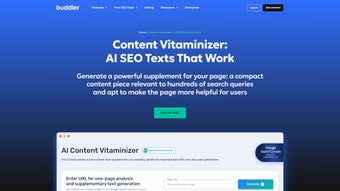
AI Content Vitaminizer by Buddler is a cloud‑based powerhouse built specifically for marketers, copywriters, and small business owners who need high‑quality, SEO‑friendly content at speed. Unlike generic AI writers, Vitaminizer focuses on the nuances of marketing language: it understands buyer intent, brand voice, and conversion‑centric phrasing. The platform operates on a subscription model, offering unlimited generation of articles, blog posts, product descriptions, social media snippets, and even email newsletters. By feeding the tool with a few seed keywords or a brief brief, the underlying neural network produces drafts that are already optimized for search engine rankings, readability, and engagement. The service continuously learns from user feedback, so the more you use it, the sharper the suggestions become. In practice, this means you can cut content research time by up to 70 % while still delivering copy that resonates with target audiences and improves organic traffic. Whether you’re launching a new campaign, revamping an old landing page, or trying to keep a content calendar full, AI Content Vitaminizer acts as a virtual copy chief, delivering a steady stream of fresh, relevant, and conversion‑ready text.
Key Features That Set Vitaminizer Apart
- Keyword‑Driven Generation: Input primary, secondary, or LSI keywords and let the AI weave them naturally into headings, body copy, and meta tags.
- Customizable Templates: Choose from pre‑built marketing templates (blog post, product page, ad copy, email series) and tweak them to match your brand guidelines.
- Real‑Time SEO Score: Each draft includes an on‑the‑fly SEO audit, highlighting keyword density, readability, and suggested internal links.
- Content Suggestions & Outlines: The tool can generate a full article outline, sub‑headings, and even call‑to‑action (CTA) variations before you write a single sentence.
- Multi‑Language Support: Generate content in over 15 languages, with built‑in translation quality checks for global campaigns.
- Version History & Collaboration: Every generated piece is saved with a revision timeline, allowing team members to comment, approve, or request edits.
- Secure Cloud Storage: All drafts are stored on encrypted servers, complying with GDPR and CCPA standards.
- API Access: For agencies that need to embed content generation into their own workflow tools, a robust REST API is available.
- Auto‑Update Engine: The AI model is refreshed monthly, ensuring you benefit from the latest search algorithm changes and copy trends.
Installation & Usage Guide – From Sign‑Up to First Draft
Getting Started in Minutes
Because AI Content Vitaminizer is a web‑based SaaS platform, there is no traditional “installation” process. Begin by visiting Buddler’s official page and clicking the “Start Free Trial” button. You’ll be prompted to create an account using an email address or single‑sign‑on via Google or Microsoft. After confirming your email, you’ll land on the dashboard where you can select a subscription tier (Starter, Pro, or Enterprise). The platform offers a 7‑day risk‑free trial with 20 credits, enough to test all major features without committing to a payment method.
Step‑by‑Step Workflow
1. Define Your Goal: Choose the content type from the left‑hand menu (e.g., Blog Post, Landing Page, Social Ad).
2. Enter Keywords & Brief: Input primary keywords, a short description of the topic, and any brand voice notes (e.g., “friendly”, “authoritative”).
3. Select a Template: Pick a pre‑made structure or start from a blank canvas. Templates automatically populate meta titles, headings, and CTA placeholders.
4. Generate Draft: Click “Create Content”. Within seconds, the AI presents a full draft with highlighted SEO scores.
5. Refine & Optimize: Use the built‑in editor to accept suggestions, adjust tone, or add custom sections. The SEO sidebar updates in real time.
6. Export or Publish: Export the final copy as .docx, .txt, or directly push to WordPress via the integration plugin.
7. Track Performance: In the “Analytics” tab, monitor organic traffic uplift and engagement metrics for each piece you publish.
Tips for Maximizing Efficiency
• Batch Keywords: Upload a CSV of 50+ keywords and let Vitaminizer generate a content calendar in one go.
• Use the “Voice Guard”: Turn on brand‑voice enforcement to ensure the AI never strays from your approved style guide.
• Leverage the API: For large agencies, automate content generation for client portals by integrating the REST endpoint with your CRM.
• Regularly Review SEO Scores: Although the AI offers strong baseline optimization, a quick manual check with tools like Ahrefs or SEMrush can capture niche ranking opportunities.
• Enable Revision History: Keep a log of every version; this is invaluable when A/B testing copy variations.
Compatibility, Pros & Cons – What You Need to Know Before You Commit
AI Content Vitaminizer is a fully web‑based solution, meaning it runs on any modern browser (Chrome, Edge, Firefox, Safari) across Windows, macOS, Linux, iOS, and Android devices. No downloads, no local installations, and no OS‑specific limitations. The platform also offers native plugins for WordPress, HubSpot, and Shopify, making it easy to embed the AI directly into your existing publishing workflow.
Pros
- Instant, SEO‑ready drafts reduce content production time dramatically.
- Highly customizable templates ensure brand consistency.
- Real‑time SEO scoring keeps you aligned with Google’s best practices.
- Multi‑language generation opens doors to global markets.
- Secure cloud storage and GDPR compliance protect sensitive marketing data.
- API access allows seamless integration with agency pipelines.
- Monthly model updates keep the AI current with search algorithm changes.
Cons
- Subscription cost can be steep for freelancers on a tight budget.
- Because it is cloud‑only, you need a reliable internet connection to generate content.
- Advanced features (API, multi‑user collaboration) are limited to higher‑tier plans.
- While the AI is strong, nuanced brand storytelling may still require human polishing.
Frequently Asked Questions
Is AI Content Vitaminizer suitable for beginners?
Absolutely. The intuitive dashboard, pre‑filled templates, and step‑by‑step wizard guide new users through the entire content creation process without requiring any technical knowledge.
Can I export content directly to my CMS?
Yes. Vitaminizer offers native integrations for WordPress, HubSpot, and Shopify. You can also export files in .docx, .txt, or .html formats for manual upload.
How does the SEO scoring work?
The tool evaluates keyword placement, readability (Flesch‑Kincaid), meta tag usage, and internal linking opportunities. Scores are displayed on a 0‑100 scale with actionable suggestions to improve each factor.
Is my data safe on Buddler’s servers?
All content is stored on encrypted cloud servers that comply with GDPR, CCPA, and ISO‑27001 standards. You can delete drafts at any time, and no personal data is sold to third parties.
Do I need a credit card to start the free trial?
No. Buddler offers a 7‑day trial with 20 free credits that does not require any payment information. You only need to enter a card if you decide to upgrade after the trial period.
Conclusion – Is AI Content Vitaminizer the Right Choice for You?
In a landscape where fresh, SEO‑optimized content is a critical ranking factor, AI Content Vitaminizer delivers a compelling blend of speed, quality, and strategic insight. Its web‑based architecture ensures you can work from any device, while the robust feature set—from keyword‑driven generation to real‑time SEO scoring—makes it a valuable addition to any marketer’s toolkit. The subscription pricing reflects the premium nature of the service, but the productivity gains often justify the cost, especially for agencies and medium‑size businesses with high content demands. If you’re looking for a secure, constantly updated AI writer that respects brand voice and helps you climb SERPs, Vitaminizer is worth a serious trial. Click the button below to start your free trial and experience the “vitamin boost” for your marketing copy today.
Start Free Trial – Download AI Content Vitaminizer
Overall, AI Content Vitaminizer offers a balanced mix of automation and control. The SEO insights are particularly strong, and the template library saves countless hours. The main drawback is the price for solo freelancers, but for teams that produce large volumes of copy, the ROI is clear.
Guides & Tutorials for AI Content Vitaminizer by Buddler
How to install AI Content Vitaminizer by Buddler
- Click the Preview / Download button above.
- Once redirected, accept the terms and click Install.
- Wait for the AI Content Vitaminizer by Buddler download to finish on your device.
How to use AI Content Vitaminizer by Buddler
This software is primarily used for its core features described above. Open the app after installation to explore its capabilities.
User Reviews for AI Content Vitaminizer by Buddler 0
No reviews found




